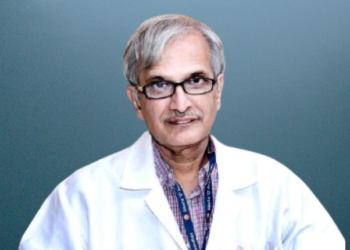






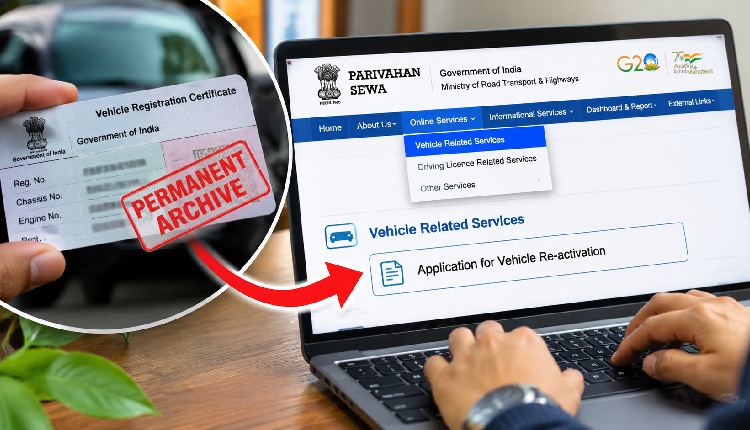
Bhubaneswar: Vehicle owners whose vehicles have been placed in the Permanent Archive category due to non-renewal of mandatory documents for more than two years can apply for reactivation through the online Parivahan portal, Additional Commissioner of Transport (Road Safety) of the State Transport Authority, Odisha, Dipti Ranjan Patra, said on Monday.
Explaining the Centre’s vehicle classification framework, Patra said the Ministry of Road Transport and Highways (MoRTH) introduced a four-category system in February to classify vehicles based on the validity of their documents. The framework was rolled out in phases from March and has now been fully implemented.
The four categories are Active Compliant, Active Non-Compliant, Temporary Archive and Permanent Archive.
“Vehicles with valid documents are classified as Active Compliant. If a vehicle’s documents expire and the owner fails to renew them within six months, it is placed in the Active Non-Compliant category. However, once the documents are renewed, the vehicle automatically moves back to the Active Compliant category,” Patra said while speaking to a regional television channel.
He further explained that vehicles whose documents have remained expired for more than six months but less than two years are placed in the Temporary Archive category. Such vehicles automatically return to the Active Compliant category once the required documents are renewed.
“Vehicles whose owners have failed to renew the required documents for more than two years are shifted to the Permanent Archive category,” he said.
Patra clarified that the framework had been introduced by the Centre and that the state government had no direct role in its implementation.
He said owners of vehicles placed in the Permanent Archive category could apply for reactivation by renewing the required documents through the online process.
The application must be submitted through the respective Regional Transport Offices (RTOs), which subsequently forward it to the Centre for approval. Once approved, the vehicle is moved back to the Active Compliant category.
How to check your vehicle’s classification status
Patra explained that vehicle owners can check the category under which their vehicles have been classified by following these steps:
- Visit the Parivahan portal: https://parivahan.gov.in/
- Go to the ‘Online Services’ section and select ‘National Transport Repository’ from the dropdown menu.
- On the next page, click on ‘Services’ and select ‘Know Your Vehicle/DL Details’.
- Enter your 10-digit mobile number and the CAPTCHA code, then click on ‘Get OTP’.
- Enter the OTP received on your registered mobile number and click on ‘Login’.
- After logging in, select ‘RC/DL Search’.
- Choose either ‘Search by RC’ or ‘Search by DL’, depending on the details you wish to check.
- Enter the required information and click on ‘Search’.
- Your vehicle details, including its classification category, will be displayed on the screen.
How to reactivate a vehicle placed in the Permanent Archive category
Vehicle owners whose vehicles have been placed in the Permanent Archive category can apply for reactivation through the Parivahan portal by following these steps:
- Visit https://parivahan.gov.in/ and navigate to the ‘Online Services’
- Select ‘Vehicle Related Services’ from the dropdown menu.
- Choose your state and select the concerned Regional Transport Office (RTO).
- Click on ‘Submit’. A disclaimer page will appear; click on ‘Proceed’ to continue.
- In the new window, click on ‘Services’ in the top-left corner.
- Select ‘Additional Services’ from the dropdown menu.
- Choose ‘Application for Vehicle Re-activation’.
- On the next page, enter your vehicle registration number and the last five characters of your chassis number.
- Click on ‘Vehicle Details’ and proceed to update the required documents.
- Submit the application for processing through the respective RTO. The application will subsequently be forwarded to the Centre for approval.
Once the Centre grants approval, the vehicle can be restored to the Active Compliant category, Patra said.